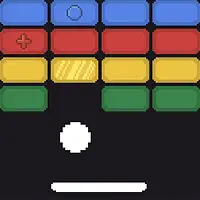
Play Google Block Breaker free. Bounce the ball, break blocks, collect power-ups like Multi-Ball and Fireball. Google Block Breaker is the search giant’s own take on one of the oldest ideas in video games: a paddle, a bouncing ball, and a wall of bricks standing between you and a clean board. Quietly added directly to Google Search in January 2025, it’s a proper, modern brick-breaker with power-ups and increasing difficulty, hidden in plain sight inside the world’s most-used search engine. No downloads, no account required to start. Works in Chrome, Firefox, Edge, and on mobile.
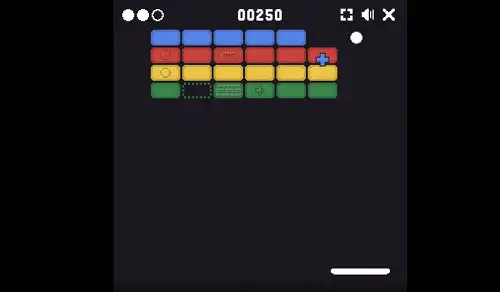
Google Block Breaker gameplay screenshot showing the paddle bouncing a ball into colored blocks
What Is Google Block Breaker?
Google Block Breaker is a browser-based arcade game that Google added directly into its Search results in January 2025. Type “block breaker” into Google Search, and an interactive game card appears right in the results – click Play, and a full-screen brick-breaking game launches instantly, no app, no sign-in, no installation.
It’s genuinely easy to confuse this with an older, more famous Google Easter egg, so it’s worth setting the record straight: back in May 2013, Google hid a completely different brick-breaker inside Google Images. Searching “Atari Breakout” would transform the image search results themselves into a playable board, with the picture thumbnails standing in as bricks – a tribute to the 37th anniversary of Atari’s original 1976 Breakout. That Images-based trick was retired around 2020 and is no longer live on Google (though preservation sites like elgooG keep it playable for nostalgia’s sake). The 2025 Google Block Breaker is a separate, newer game built directly into core Search, with its own dedicated full-screen game card, colored blocks, and a proper power-up system – not a revival of the old Images trick, even though the two get mixed up constantly across the web.
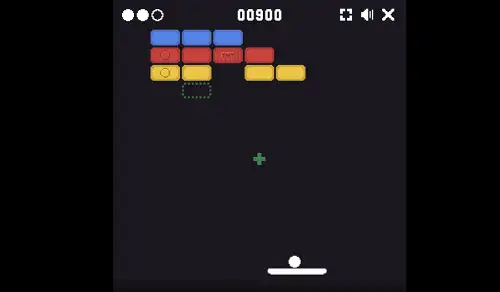
A power-up dropping from a broken block in Google Block Breaker
The History Behind the Game
The lineage here goes back further than either Google version. Breakout was released by Atari in 1976, with Apple co-founder Steve Wozniak involved in its original hardware design – one of the foundational games of the entire arcade era, built on ideas that trace back even further to Pong. A decade later, Taito’s Arkanoid (1986) took the same core concept and added power-ups and more complex level design, setting the template that most modern brick-breakers, including Google’s own version, still follow today.
Google’s first nod to this history came in 2013 with the Atari Breakout Easter egg inside Image Search, timed to the original game’s 37th anniversary. More than a decade later, the January 2025 Google Block Breaker builds on that same tribute with a proper, standalone game – multiple stages, real power-ups, and tuned difficulty that increases the deeper you get.
How to Play Google Block Breaker
- Search “block breaker” or “Google Block Breaker” on Google. An interactive game card should appear near the top of your search results.
- Click Play to launch the game in a full-screen card, right inside the search results page.
- Move your paddle along the bottom of the screen to line up with the ball.
- Bounce the ball into the blocks above. Clearing every block on the board sends you to the next stage.
- Catch power-ups as they fall. Certain blocks drop bonus items when destroyed – catching one with your paddle activates its effect immediately.
- Don’t let the ball fall past your paddle. Missing costs you a life; run out of lives and the game ends.
- Keep progressing through stages as the ball speeds up and block layouts get more complex the further you go.
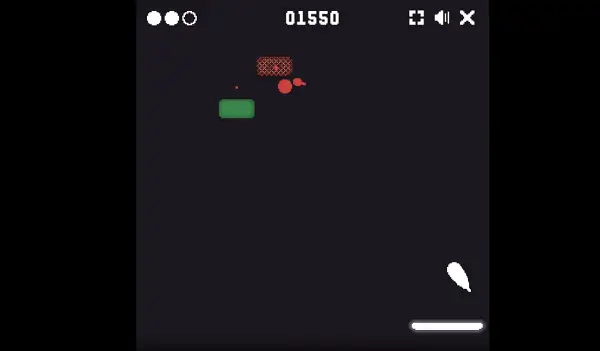
Clearing a stage in Google Block Breaker
Controls
| Action |
Input |
| Move Paddle |
Mouse movement, or ← → |
| Launch Ball |
Click anywhere, or press any key |
On mobile and tablets, dragging your finger left and right along the bottom of the screen moves the paddle in the same way.
Power-Ups
Certain blocks release a falling power-up when destroyed – catch it with your paddle before it drops off the bottom of the screen to activate its effect:
- Multi-Ball – Splits your single ball into multiple balls at once, letting you clear blocks much faster, though it also makes tracking every ball at once considerably harder.
- Paddle Extension – Widens your paddle, making it noticeably easier to keep the ball in play.
- Extra Life – Adds a heart to your total, giving you one more chance to survive a missed shot.
- Fireball / Special Weapon – Lets your ball or paddle punch straight through multiple blocks in a single pass, useful for dense or awkward block clusters.
Missing a power-up as it falls simply costs you the benefit – it doesn’t cost you a life on its own, so it’s generally worth going for one if you can reach it safely.
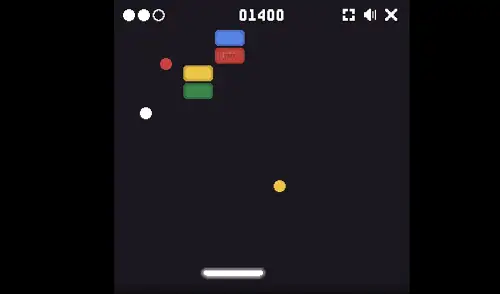
Multiple balls in play after activating the Multi-Ball power-up in Google Block Breaker
Tips and Tricks
- Use small, controlled paddle movements. Large, sweeping motions make it harder to place the ball precisely – short, deliberate adjustments give you much finer control over your angle.
- Aim for the paddle’s edges to create sharper angles. Hitting the ball near the center sends it back relatively straight, while striking it near the edge of the paddle sends it off at a steeper angle – useful for reaching blocks tucked into corners.
- Prioritize clearing corners and edges early. Isolated blocks at the edges of the board get progressively harder to reach as the layout thins out – clean them up while you still have an easy angle.
- Don’t chase every ball once Multi-Ball is active. Trying to track and react to three balls individually usually causes more misses than staying centered and letting your paddle’s width do the work.
- Stay central rather than committing early to one side. As the game speeds up in later stages, a centered position gives you the most time to react to a ball approaching from either direction.
- Grab Paddle Extension power-ups when you can reach them safely. A wider paddle is one of the most reliable ways to extend a run, especially once ball speed starts ramping up.
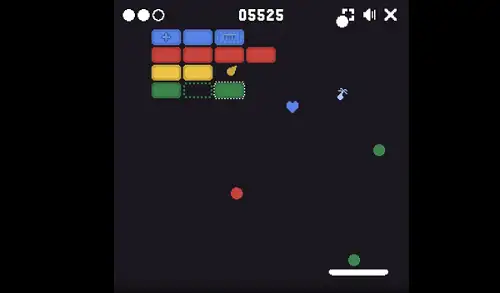
A fast-paced late stage in Google Block Breaker
Frequently Asked Questions
What is Google Block Breaker?
Google Block Breaker is a free, browser-based brick-breaking arcade game that Google added directly to its Search results in January 2025, playable instantly through a full-screen game card with no download or account required.
Is Google Block Breaker the same as the old Atari Breakout Easter egg?
No. Atari Breakout was a separate Google Images Easter egg from May 2013 that turned image search thumbnails into bricks, and was retired around 2020. Google Block Breaker is a distinct, newer game added to core Google Search in 2025, with its own full-screen card, blocks, and power-up system.
How do I find Google Block Breaker?
Search “block breaker” or “Google Block Breaker” on Google. An interactive game card should appear in the search results with a Play button. If it doesn’t appear, try alternate search terms like “brick breaker google,” or search in your local language if you’re outside English-speaking regions.
What are the controls?
Move your paddle with your mouse or the Left and Right Arrow Keys. Click anywhere or press a key to launch the ball. On mobile, drag your finger to move the paddle.
What power-ups are in the game?
Multi-Ball splits your ball into several at once, Paddle Extension widens your paddle, Extra Life adds a heart, and Fireball lets your ball break through multiple blocks in a single pass.
Where did Breakout originally come from?
Breakout was released by Atari in 1976, with Apple co-founder Steve Wozniak involved in its original design. It’s considered one of the foundational games of the arcade era, and directly inspired later titles like Taito’s Arkanoid in 1986, which introduced power-ups to the genre.
Can I still play the original 2013 Atari Breakout Easter egg?
The original version is no longer live on Google Images itself, but preservation sites such as elgooG have restored it so it can still be played for nostalgia’s sake.
Is Google Block Breaker free?
Yes, completely. There are no downloads, sign-ups, subscriptions, or in-app purchases involved.
Can I play Google Block Breaker on mobile?
Yes. The game runs on both desktop and mobile browsers, with touch drag controls on phones and tablets.
Which browser works best for Google Block Breaker?
It runs well on Chrome, Firefox, Safari, and Edge, since it’s built directly into the Google Search interface.
Why isn’t Google Block Breaker loading?
Check your internet connection, make sure this site isn’t blocked on your network, and try disabling any ad blockers – these are the most common causes of loading issues.